
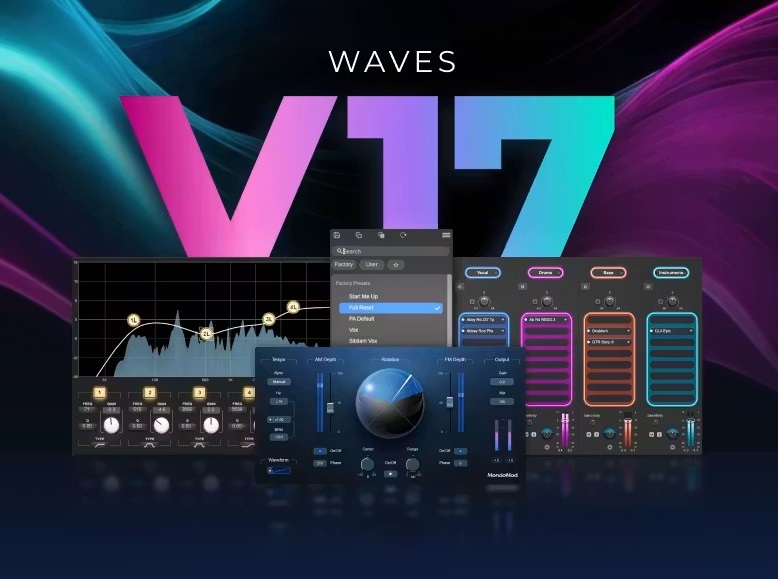
插件名称:Waves Ultimate 17 混音效果器插件包
插件大小:MAC:8.90GB
插件版本:MAC:17 v26.06.23
支持格式:MAC:AU/VST/VST3/AAX
支持系统:MAC 14 至最新系统 支持M芯片系列MAC电脑
下载方式:百度网盘下载 支持MAC正版ProTools软件
安装教程:附带文本安装方法
关联资源:Waves Ultimate 17 v26.07.27 WIN版 混音效果器插件包全套-藏音轩音频资源网
V17 版本中,大多数 Waves 插件都采用了重新设计的预设工作流程,旨在帮助您更快地工作、保持专注并不受干扰地进行创作。StudioVerse 插件,如果想使用大师预设,需要到waves官网注册一个账号,插件中点击Login登录后可使用在线预设。=》跳转注册页面
Waves 是全球领先的音频插件和信号处理器开发商,产品面向专业和消费电子音频市场。
Waves Ultimate 17 是 Waves全插件套装最新大版本,包含品牌全部 240 + 款专业音频插件,覆盖混音、母带、人声修复、乐器、吉他箱模、影视降噪全场景,按月 / 按年订阅制,订阅期内永久同步新增插件与版本更新。
2026 年 7 月 27 日,
全新插件:Atlas Reverb——一款基于全新算法引擎打造的高级混响插件,提供一系列精选的独特混响程序,传承经典 DSP 混响单元的精髓。
V17 核心升级内容
- 新增插件 Curves Resolve
智能频率避让侧链插件,解决人声 / 底鼓 / 贝斯频段打架,自动频谱避让,自带说唱、流行、鼓组预设,支持零延迟现场模式,替代传统 TransX、Transpacer 繁琐侧链操作。
- AI 降噪系列全面优化(Clarity Vx / Vx Pro)
6 段精细噪声控制、内置限制器防止爆音、静音自动重置神经网络,多人交替人声录音底噪处理更稳定,影视同期声降噪速度提升 30%。
- 原生 Apple Silicon 深度优化
M1/M2/M3 系列 CPU 占用大幅降低,多轨道并行渲染无卡顿,Logic、Studio One、Pro Tools 原生 AU/AAX/VST3 无 Rosetta 兼容损耗。
- StudioVerse 预设库扩容
新增上千套分风格混音链路预设(流行、说唱、摇滚、影视配乐、播客人声),一键加载完整通道链,支持自定义预设云端同步。
- 总线与母带插件算法迭代
SSL G-Master、L2 Ultramaximizer、Linear Phase Multiband 压缩优化低频相位失真,母带线性相位交叉点精度提升,立体声宽度控制更自然。
- 修复大量 V16 兼容 bug
解决 Cubase 14、Studio One 7、Pro Tools 2025.6 插件闪退、界面缩放错乱、离线激活失效问题。
套装完整插件分类(全部包含)
均衡 EQ
压缩动态
通道条
混响延迟
人声修复 AI
母带工具
吉他箱模与失真
乐器与采样
影视 / 播客工具
特殊创意效果
四、系统与 DAW 兼容性
系统要求
- Windows:Win10/11+ 64 位,支持 Intel/AMD
- Mac:macOS 14+,原生 Apple Silicon/Intel
- 最低 16GB 内存,全套插件安装占用≥35GB 硬盘
兼容主流 DAW
Pro Tools 2025.12+、Logic Pro 12+、Fender Studio Pro8+、Cubase 15+、FL Studio 25+、Ableton Live 12+、Nuendo 15+、DaVinci Resolve 21+、Bitwig 6+、REAPER 7+。
具体其他DAW宿主软件最低支持版本请点击下方链接查阅:
2026 年 7 月 27 日
全新插件:Atlas Reverb——一款基于全新算法引擎打造的高级混响插件,提供一系列精选的独特混响程序,传承经典 DSP 混响单元的精髓。
2026年6月23日
Waves所有插件:全面软件更新至V17
– Waves V17新增功能及改进
– 新增:改进的预设菜单系统,取代了传统的弹出式菜单和预设浏览器,融合了二者的功能,并新增了弹出式和分离式模式、文本搜索和便捷导航。除少数例外(Q-Clone、Curves Equator、Curves Resolve、IR1系列、IRLive、GTR系列、Tune Real-Time、X-Noise和Z-Noise)外,所有Waves插件均已添加此功能。
– 新增:COSMOS Sample Finder、Curves AQ、InTrigger Drum Replacer、Key Detector、StudioVerse和Sync Vx现已完全原生于Apple Silicon芯片,无需依赖Rosetta 2的后台进程。
– [MondoMod](https://www.waves.com/plugins/mondomod) 新增功能:重新设计的图形界面。
– [PSE](https://www.waves.com/plugins/pse-primary-source-expander) 新增功能:新增 5Hz 频率偏移,用于增加开放式麦克风的反馈前增益余量。
-[PSE](https://www.waves.com/plugins/pse-primary-source-expander) 新增功能:闪避增益范围扩展至 -60 dB,以实现更佳的动态控制。
-[CLA MixDown](https://www.waves.com/plugins/cla-mixdown) 新增功能:新增链路输入/输出控制,允许一次性同时调节输入和输出电平。
-[WLM / WLM Plus](https://www.waves.com/plugins/wlm-loudness-meter) 新增功能:WLM 现在作为 AudioSuite 插件提供,无需实时播放即可进行完整的离线节目响度分析。
– [EMO-Q4](https://www.waves.com/plugins/emo-q4-equalizer) 新增功能:实时频谱分析仪,在 SoundGrid 和原生环境中均可使用偏移控制进行视觉参考调整。
-[REQ](https://www.waves.com/plugins/renaissance-equalizer) 新增功能:实时频谱分析仪现已在 SoundGrid 环境中可用。
-[Q10](https://www.waves.com/plugins/q10-equalizer) 和 [F6](https://www.waves.com/plugins/f6-floating-band-dynamic-eq) 新增功能:现在可在触摸屏工作流程中使用捏合手势控制 Q 值。
-[Sync Vx](https://www.waves.com/plugins/sync-vx) 新增功能:Samplitude 和 Sequoia 现在同时支持 VST3 和 ARA 格式。
– StudioVerse AudioEffects 新增功能:宏控制页面扩展至最多支持 13 页,每页最多 8 个宏。Waves V17 错误修复– 所有 Waves 插件修复:
– 侧链切换功能现已在 Windows 版 Luna (VST3) 中正常工作。
-安装 SyncroArts RePitch 2 后,Pro Tools 中不会再出现崩溃。
-所有乐器插件修复:在 Cubase/Nuendo 中拖动 MIDI 片段时,已加载的预设能够正确保留。
– Waves 应用程序修复:macOS 上的应用程序窗口从 Dock 最小化后现在可以正确恢复。
-[Curves 系列](https://www.waves.com/plugins/curves)(AQ、Equator、Resolve)修复:安装 SyncroArts RePitch 2 后,Pro Tools 不会崩溃。
– [CLA MixHub](https://www.waves.com/plugins/cla-mixhub) 修复:在文本输入框处于活动状态时,即使插件 GUI 关闭,Pro Tools 仍保持完全响应。
-[COSMOS](https://www.waves.com/plugins/cosmos-sample-finder) 修复:Ableton Live 的 .asd 分析文件不再触发多余的“检测到更改”通知。
-[Curves AQ](https://www.waves.com/plugins/curves-aq) 修复:未路由侧链时,侧链监听控件呈灰色显示。
– 已修复 [Doubler](https://www.waves.com/plugins/doubler) 中的问题:低增益均衡器启用和禁用时不会出现爆音。
-已修复 [GTR Tool Rack](https://www.waves.com/plugins/gtr3-toolrack) / Solo Tool Rack 中的问题:在单块效果器部分的放大器上使用“向左移动”功能不再导致界面损坏或崩溃。
-已修复 [IDX Intelligent Dynamics](https://www.waves.com/plugins/idx-intelligent-dynamics) 中的问题:插件旁通控制在所有支持的 DAW 中均与宿主软件的旁通系统完全同步。
-已修复 [Immersive Wrapper](https://www.waves.com/plugins/immersive-wrapper) 中的问题:7.1 和 7.1.2 组件现在可以在 Logic Pro 中正确路由。
– 已修复 [L4](https://www.waves.com/plugins/l4-ultramaximizer) 中的问题:响度表设置(短/长)现在可以正确保存,并在会话重新加载时恢复。
-已修复 [Magma BB Tubes](https://www.waves.com/plugins/bb-tubes) 中的问题:音调前置和后置控制现在可以正确响应 LV1 中的触控滑动输入。
-已修复 [MultiMod Rack](https://www.waves.com/plugins/multimod-rack) 中的问题:调制效果旁通和汉堡菜单现在可以正确响应。
-已修复 [ReelADT](https://www.waves.com/plugins/reel-adt) 中的问题:静音、相位、同步、LFO 开/关和监听按钮现在可以正确映射到 Live 应用程序中的控制器切换按钮。
– 已修复 [Waves Harmony](https://www.waves.com/plugins/waves-harmony) 中的以下问题:LV1 和 SuperRack 中的场景缩放设置现在可以正确调用。
-已修复 [WLM Plus](https://www.waves.com/plugins/wlm-loudness-meter) 中的以下问题:macOS 上的 CSV 日志可以捕获并导出所有预期数据。
-已修复 [H-EQ](https://www.waves.com/plugins/h-eq-hybrid-equalizer) 中的以下问题:立体声链接现在适用于相位反转按钮,可以同时反转左右声道的相位。
-已修复 [Curves AQ](https://www.waves.com/plugins/curves-aq) 中的以下问题:在学习区域内打开的节点现在可以正确响应并保持交互。
– 修复了 [RChannel](https://www.waves.com/plugins/renaissance-channel) 中的问题:旧版皮肤下,滤波器类型下拉菜单现在可以正确打开。
-修复了 [CR8](https://www.waves.com/plugins/cr8-creative-sampler) 中的问题:
全局输出现在可以正确保存预设。
复音触后调制器现在可以在所有支持的宿主程序中正常工作。
-修复了 [OVox](https://www.waves.com/plugins/ovox-vocal-resynthesis) 中的
问题:调制效果旁通和汉堡菜单现在可以正确响应。
复音触后调制器现在可以在所有支持的宿主程序中正常工作。
-修复了 [Scheps Omni Channel](https://www.waves.com/plugins/scheps-omni-channel) 中的
问题:完全重置和 PA 默认预设现在显示在预设菜单的顶部。
– 现在可以通过 [LV1/SuperRack](https://www.waves.com/mixers-racks/superrack-performer) 中的“触摸和旋转”功能正确调节高通滤波器 (HPF) 频率。
-当插件 GUI 关闭且文本输入框处于活动状态时,Pro Tools 仍保持完全响应。
-在 [StudioVerse](https://www.waves.com/plugins/studioverse-audio-effects) 中修复:
– 加载预设时,宿主程序不会出现卡顿。
-当 SyncroArts RePitch 2 安装在 AAX 文件夹中时,Pro Tools 会正确显示增益衰减。
-点击宏编辑窗口中的值不再导致鼠标光标跳动。
-现在可以将 Chainer 插件(CLA MixHub、Scheps Omni Channel、AR TG Mastering、MultiMod Rack)中的模块控件分配给宏。
-在 [Sync Vx](https://www.waves.com/plugins/sync-vx) 中修复:
– 现在动态分割功能在 Mac 和 Windows 系统的 REAPER 中均可正常工作。
– 现在,在 Windows 系统上,如果“svml_dispmd.dll”安装在 C:\Windows\System32 目录下,进度条可以正确完成。
-已在 [TG12345](https://www.waves.com/plugins/emi-tg12345) 中修复:
– 会话重新加载后,M/S 模式显示正确。
-自动化轨道的所有控制项(dB 和 kHz)均显示正确的后缀。-StudioVerse Premium 新增功能:[Mix Unlock](https://www.waves.com/plugins/studioverse-mix-unlock) – 直接在您的 DAW 中实时分离音轨。将任何立体声轨道拆分为 2 个音轨(人声 + 乐器)或 4 个音轨(人声、鼓、贝斯和乐器),这样即使没有原始的多轨会话,您也可以修复混音、创建混搭、重新平衡元素以及重塑最终音轨。Mix Unlock 是 StudioVerse Audio Effects 的一项高级功能。它需要单独的许可证,您可以购买永久许可证,也可以通过 [Waves Essential](https://www.waves.com/subscriptions/essential) 和 [Waves Ultimate](https://www.waves.com/subscriptions/ultimate) 插件订阅获得。在限定时间内,拥有任何 Waves v17 插件的用户均可免费使用此功能。
备注
– 包含 Waves Patcher 15.9 U2B – GUISEPPE
– 包含 Waves Ultimate 2025.3-VR
Waves is the world’s leading developer of audio plugins and signal processors for the professional and consumer electronics audio markets.
June 23, 2026
All Waves Plugins: Across-the-board software update to V17
– New Features & Improvements in Waves V17
– New: Improved Preset Menu system that replaces both the legacy popup-style menu and the Preset Browser, combining the capabilities of both with popup and detched modes, text search and easy navigation. Added to all Waves plugin with a few exceptions (Q-Clone, Curves Equator, Curves Resolve, IR1 Series, IRLive, GTR Series, Tune Real-Time, X-Noise and Z-Noise).
– New: COSMOS Sample Finder, Curves AQ, InTrigger Drum Replacer, Key Detector, StudioVerse and Sync Vx are now fully native on Apple Silicon, with no Rosetta 2 dependent background process.
– New in [MondoMod](https://www.waves.com/plugins/mondomod): Redesigned graphical interface
– New in [PSE](https://www.waves.com/plugins/pse-primary-source-expander): 5Hz Frequency Shift added for increased gain-before-feedback headroom on open mics.
– New in [PSE](https://www.waves.com/plugins/pse-primary-source-expander): Ducking gain range extended to -60 dB for greater dynamic control.
– New in [CLA MixDown](https://www.waves.com/plugins/cla-mixdown): Link In/Out control added, allowing simultaneous input and output level adjustment in a single action.
– New in [WLM / WLM Plus](https://www.waves.com/plugins/wlm-loudness-meter): WLM is now available as an AudioSuite plugin, allowing full offline program loudness analysis without the need for real-time playback.
– New in [EMO-Q4](https://www.waves.com/plugins/emo-q4-equalizer): Real-time spectrum analyzer added, with an Offset control for visual reference adjustment available in SoundGrid and native environments.
– New in [REQ](https://www.waves.com/plugins/renaissance-equalizer): Real-time spectrum analyzer is now available in SoundGrid environments.
– New in [Q10](https://www.waves.com/plugins/q10-equalizer) & [F6](https://www.waves.com/plugins/f6-floating-band-dynamic-eq): Pinch gesture to control Q, is now available on touch screen workflows.
– New in [Sync Vx:](https://www.waves.com/plugins/sync-vx) Samplitude and Sequoia are now supported in both VST3 and ARA formats.
– New in [StudioVerse AudioEffects:](https://www.waves.com/plugins/studioverse-audio-effects) Macro control pages expanded to support up to 13 pages with 8 macros each.Bug Fixes in Waves V17
– Fixed in [All Waves plugins](https://www.waves.com/plugins):
– Sidechain toggling now works correctly in Luna on Windows (VST3).
– No crash will occur in Pro Tools when SyncroArts RePitch 2 is installed.
– Fixed in All Instrument plugins: Loaded presets are retained correctly when dragging MIDI clips in Cubase/Nuendo.
– Fixed in Waves Applications: Application windows on macOS now restore correctly after being minimized from the Dock.
– Fixed in [Curves Series](https://www.waves.com/plugins/curves) (AQ, Equator, Resolve): No crash will occur in Pro Tools when SyncroArts RePitch 2 is installed.
– Fixed in [CLA MixHub](https://www.waves.com/plugins/cla-mixhub): Pro Tools remains fully responsive when the plugin GUI is closed while a text entry field is active.
– Fixed in [COSMOS](https://www.waves.com/plugins/cosmos-sample-finder): Ableton Live .asd analysis files no longer trigger a redundant Changes Detected notification.
– Fixed in [Curves AQ](https://www.waves.com/plugins/curves-aq): SC Listen control is grayed out when no sidechain is routed.
– Fixed in [Doubler](https://www.waves.com/plugins/doubler): Low Gain EQ engages and disengages without audio pops.
– Fixed in [GTR Tool Rack](https://www.waves.com/plugins/gtr3-toolrack) / Solo Tool Rack: Using ‘Move Left’ on the Amp in the Stomp section no longer causes GUI corruption or crashes.
– Fixed in [IDX Intelligent Dynamics](https://www.waves.com/plugins/idx-intelligent-dynamics): Plugin bypass control is fully synced with the host bypass system across all supported DAWs.
– Fixed in [Immersive Wrapper](https://www.waves.com/plugins/immersive-wrapper): 7.1 and 7.1.2 components now route correctly in Logic Pro.
– Fixed in [L4](https://www.waves.com/plugins/l4-ultramaximizer): Loudness Meter setting (Short/Long) is saved correctly and restored on session reload.
– Fixed in [Magma BB Tubes](https://www.waves.com/plugins/bb-tubes): Tone Pre and Post controls respond correctly to touch-and-slide input in LV1.
– Fixed in [MultiMod Rack](https://www.waves.com/plugins/multimod-rack): Mod FX bypass and hamburger menu now respond correctly.
– Fixed in [ReelADT](https://www.waves.com/plugins/reel-adt): Mute, Phase, Sync, LFO On/Off, and Monitor buttons now correctly map to controller toggle buttons in live applications.
– Fixed in [Waves Harmony](https://www.waves.com/plugins/waves-harmony): Scale settings are correctly recalled across scenes in LV1 and SuperRack.
– Fixed in [WLM Plus](https://www.waves.com/plugins/wlm-loudness-meter): CSV Log captures and exports all expected data on macOS.
– Fixed in [H-EQ](https://www.waves.com/plugins/h-eq-hybrid-equalizer): Stereo Link now applies to the phase inversion button, inverting phase on both L & R channels simultaneously.
– Fixed in [Curves AQ](https://www.waves.com/plugins/curves-aq): Nodes opened inside the Learn zone now respond correctly and remain interactive.
– Fixed in [RChannel](https://www.waves.com/plugins/renaissance-channel): Filter type dropdown now opens correctly in the legacy skin.
– Fixed in [CR8](https://www.waves.com/plugins/cr8-creative-sampler):
– Global Output is saved correctly with presets.
– Poly Aftertouch modulator now works correctly across all supported hosts.
– Fixed in [OVox](https://www.waves.com/plugins/ovox-vocal-resynthesis):
– Mod FX bypass and hamburger menu now respond correctly.
– Poly Aftertouch modulator now works correctly across all supported hosts.
– Fixed in [Scheps Omni Channel](https://www.waves.com/plugins/scheps-omni-channel):
– Full Reset and PA Default presets now appear at the top of the Preset Menu.
– HPF frequency now adjusts via Touch & Turn in [LV1/SuperRack](https://www.waves.com/mixers-racks/superrack-performer) correctly.
– Pro Tools remains fully responsive when the plugin GUI is closed while a text entry field is active.
– Fixed in [StudioVerse](https://www.waves.com/plugins/studioverse-audio-effects):
– No hang will occur in hosts when loading presets.
– Gain reduction is reported correctly in Pro Tools when SyncroArts RePitch 2 is installed in the AAX folder.
– Clicking values in the Macro Edit window no longer causes the mouse cursor to jump.
– Module controls inside Chainer plugins (CLA MixHub, Scheps Omni Channel, AR TG Mastering, MultiMod Rack) can now be assigned to Macros.
– Fixed in [Sync Vx](https://www.waves.com/plugins/sync-vx):
– Dynamic Split now works correctly in REAPER on both Mac and Windows.
– Progress bar now completes correctly on Windows systems where “svml_dispmd.dll” is installed in C:\Windows\System32.
– Fixed in [TG12345](https://www.waves.com/plugins/emi-tg12345):
– M/S mode displays correctly after session reload.
– Automation lanes display correct suffixes for all controls (dB and kHz).– New StudioVerse Premium Feature: [Mix Unlock](https://www.waves.com/plugins/studioverse-mix-unlock) – real-time stem separation directly inside your DAW. Split any stereo track into 2 stems, Vocals + Instruments, or 4 stems, Vocals, Drums, Bass & Instruments, so you can fix mixes, create mashups, rebalance elements, and reshape finished tracks even without the original multitrack session.
Mix Unlock is a premium feature of StudioVerse Audio Effects. It requires a separate license, which is available for purchase (perpetual license), or as part of the [Waves Essential](https://www.waves.com/subscriptions/essential) and [Waves Ultimate](https://www.waves.com/subscriptions/ultimate) plugin subscriptions. For a limited time, it is also available free for owners of any Waves v17 plugin.
Notes
– Included Waves Patcher 15.9 U2B – GUISEPPE
– Included Waves Ultimate 2025.3-V.R
