
插件名称:Sound Particles Density v1.1.2 合唱声音密度增强插件
插件大小:WIN:33.9MB MAC:406MB
插件版本:WIN:v1.1.2 MAC:v1.1.2
支持格式:WIN:VST3/AAX MAC:AU/VST3
支持系统:Windows 10/11 MAC 10.13 至最新系统
下载方式:百度网盘下载 支持M芯片系列MAC电脑
安装教程:附带文本安装方法
Sound Particles Density 是一个音频效果插件,可根据输入创建各种声音层。该插件在立体声方面取得了出色的效果,在沉浸式环境中取得了出色的效果,使艺术家能够根据独奏输入创建令人难以置信的声音合奏,并获得令人难以置信的空间化。Density 基于单个轨道创建各种声音层次。使用我们的粒度技术,现在非常容易地增加曲目上的声音密度,并获得精美的结果。
声音变成合唱团,小提琴变成弦乐合奏Density
根据单个音轨创建各种声音层次。使用我们的精细技术, 现在非常容易地增加曲目上的声音密度,并获得精美的结果。
从音乐到声音设计,从立体声到杜比全景声,Density 是您绝对想要的工具集中的插件。
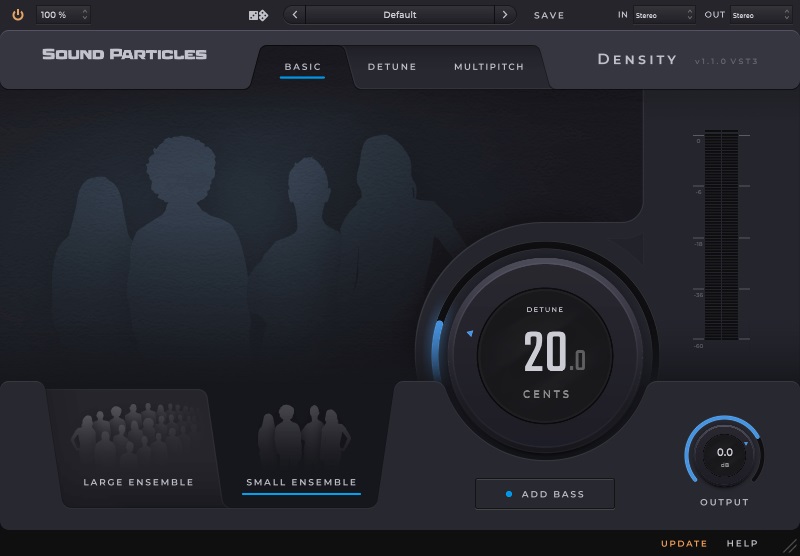
基本模式
此模式允许您快速使用该插件,无需任何额外的经验,并获得令人难以置信的结果。只需几个控件,您就可以从单个声音创建小型或大型合奏。
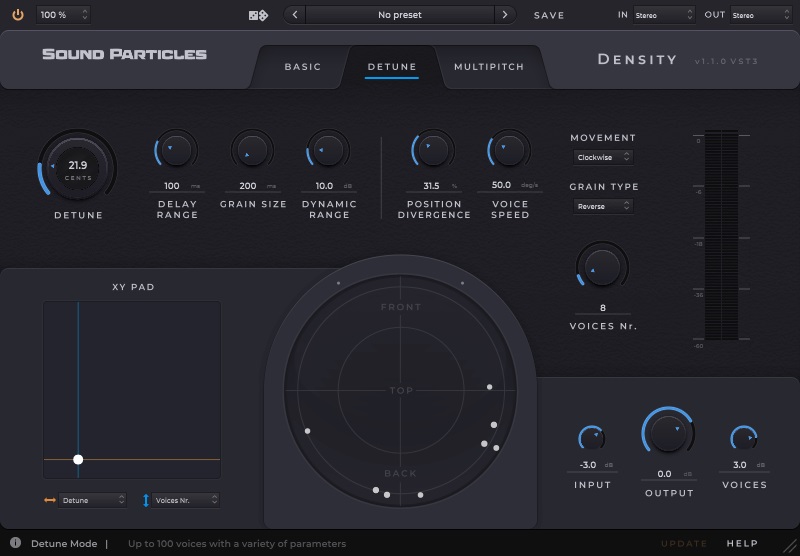
失谐模式
此模式非常适合营造各种层次的感觉。失谐模式具有更高级的控件,可让您微调一些与颗粒生成和声部运动相关的参数。
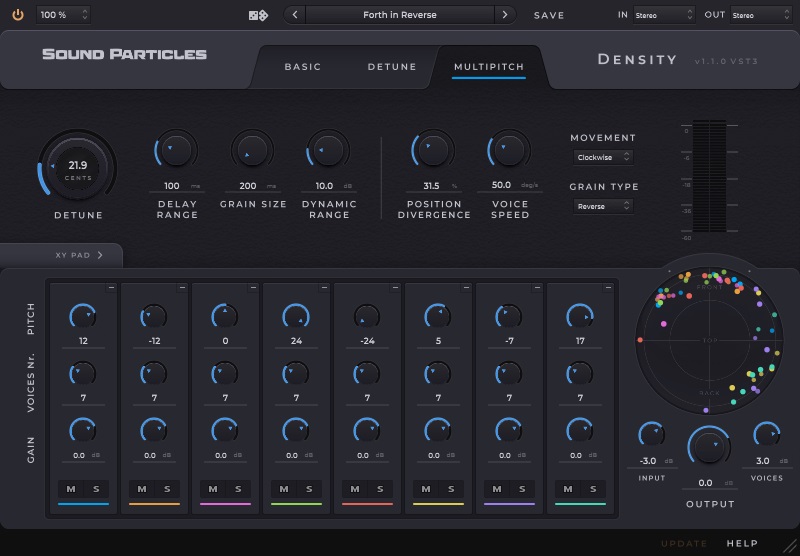
音高模式此
模式创建多组声部,并单独控制音高、声部数量和增益,从而实现像合唱团一样的和声,并为您提供最真实和最具创意的结果。
XY Pad
用鼠标同时控制两个参数,为您提供表达自己的
最佳方式 所有格式
利用以下所有格式进行创作:立体声、5.1、7.1、Ambisonics、双耳、杜比全景声 (Dolby Atmos) ……
运动
通过选择颗粒的运动模式
,让颗粒移动,为您的声音带来更多活力 俯视图
3D 空间
中图层的圆形视觉表示 分层<</b136>b137>对输入和生成的声音进行单独控制,让您可以轻松地自动控制生成声音的增益,以控制您的音乐表演使用预设或我们的随机化工具快速探索多个开箱即用的结果
Density Plugin Density is an audio effect plugin that creates various layers of sounds based on the input. With great results in stereo and fantastic ones in immersive, this plugin allows artists to create incredible sounding ensembles based on a solo input and get incredible spatialization. Density creates various layers of sounds based on a single track. Using our granular technology, It’s now incredibly easy to increase the density of sounds on your tracks, with beautiful results.
A voice turns into choirs and a violin into string ensembles
Density creates various layers of sounds based on a single track. Using our granular technology, It’s now incredibly easy to increase the density of sounds on your tracks, with beautiful results.
From music to sound design, from stereo to Dolby Atmos, Density is a plugin that you definitely want in your toolset.
Basic Mode
This mode allows you to use the plugin quickly, without needing any additional experience, with incredible results. With just a few controls, you can create small or large ensembles from a single sound.
Detune Mode
This mode is perfect to create the feeling of various layers. The Detune Mode has more advanced controls that allow you to fine-tune some parameters related to the generation of grains and the movement of the voices.
Pitch Mode
This mode creates multiple groups of voices with individual controls for pitch, number of voices, and gain, allowing harmonization like a choir – and giving you the most realistic – and most creative results.
XY Pad
Control two parameters at the same time with the mouse, to give you the best way to express yourself
All Formats
Take advantage of creating in all the following formats: stereo, 5.1, 7.1, Ambisonics, binaural, Dolby Atmos, …
Movement
Make grains move to bring more life to your sounds by choosing its movement patterns
Top View
A circular visual representation of your layers in a 3D space
Layering
Separate control of input and generated voices allow you to easily automate the gain of the generated voices to control your music performance
Randomization
Use presets or our randomization tool to explore multiple out-of-the-box results in a fast way

评论(0)